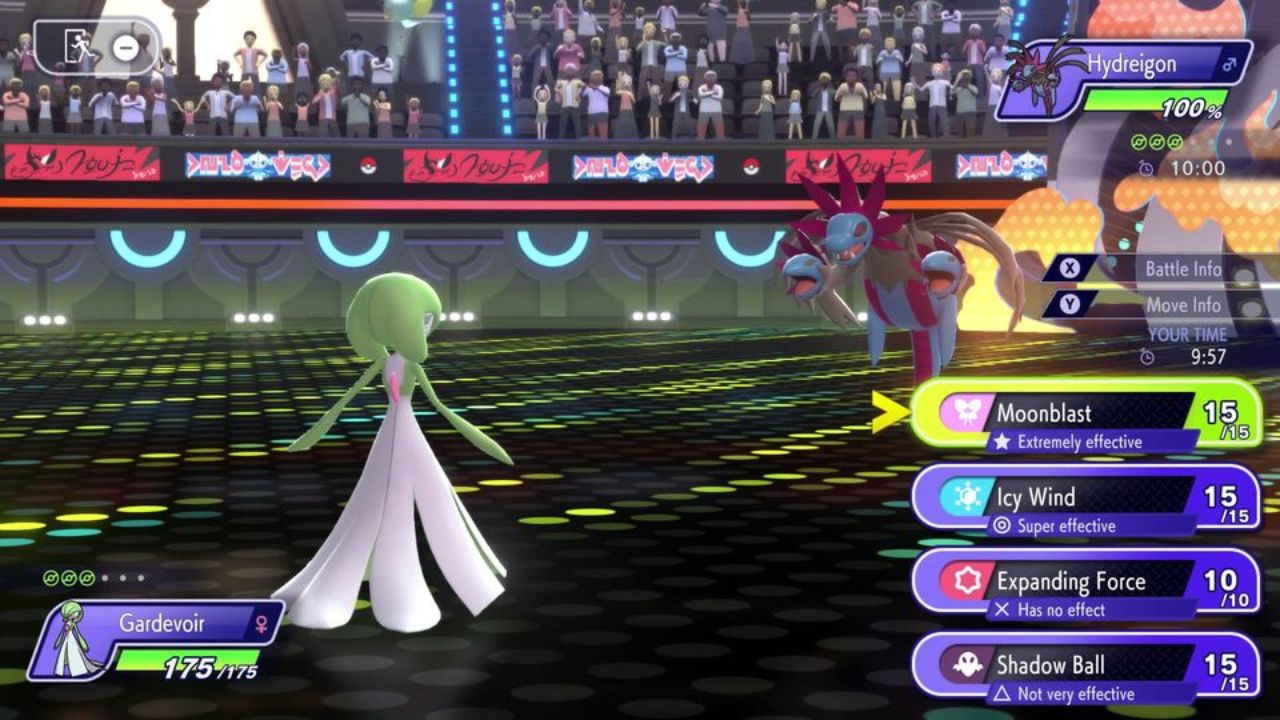
Pokémon Champions System Requirements: Pokémon Champions has been one of the most talked-about games of 2026, and for good reason. This brand-new, battle-focused title officially launched on April 8, 2026, for Nintendo Switch and Nintendo Switch 2, with iOS and Android versions set to arrive later in the year. Whether you’re a longtime competitive battler or a casual fan jumping in for the first time, the first question on everyone’s mind is: what do you need to actually run it?
Unlike most mainline Pokémon games, Champions isn’t a traditional RPG — it’s a dedicated PvP battle platform developed by The Pokémon Works. That changes how it handles platform requirements. In this guide, we’re breaking down every detail about Pokémon Champions system requirements across all platforms, including what hardware you need for Switch, what mobile devices are supported, and how it performs when run through an Android emulator on PC.
Pokémon Champions System Requirements — Quick Game Overview
| Detail | Information |
|---|---|
| Game Title | Pokémon Champions |
| Developer | The Pokémon Works (The Pokémon Company + ILCA) |
| Publisher | Nintendo / The Pokémon Company |
| Release Date (Switch) | April 8, 2026 |
| Release Date (Mobile) | Later in 2026 (iOS & Android) |
| Platforms | Nintendo Switch, Switch 2, iOS, Android |
| Genre | Turn-Based Strategy / PvP Battle |
| Price | Free-to-Start |
| Key Features | Cross-platform play, Pokémon HOME, Ranked & Casual Battles |
| VGC Competitive | Yes — Official platform for 2026 season |
Pokémon Champions System Requirements: Is There a PC Version?
Let’s address this upfront — as of April 2026, there is no official PC version of Pokémon Champions on Steam or any other PC storefront. The game was built specifically for Nintendo Switch and mobile devices (iOS and Android). If you’ve seen websites listing “minimum PC specs” for Champions, those are estimated or predicted requirements for hypothetical emulator use, not official specs from Nintendo or The Pokémon Company.
That said, if you want to play Pokémon Champions on a PC, your best option is using an Android emulator like BlueStacks once the mobile version releases later in 2026.
Official Supported Platforms (April 2026)
- Nintendo Switch (Original)
- Nintendo Switch 2 — Enhanced graphics via free update
- iOS — Release date TBA, later 2026
- Android — Release date TBA, later 2026
- PC — NOT officially supported (emulator only option)
Nintendo Switch System Requirements
Since Pokémon Champions launched first on Nintendo Switch, the good news is simple: if you own any Nintendo Switch console, you can play it. The game supports the original Switch, Switch Lite, Switch OLED, and Switch 2.
Switch Hardware Compatibility
| Console | Supported | Performance |
|---|---|---|
| Nintendo Switch (Original) | Yes | Standard graphics, stable performance |
| Nintendo Switch Lite | Yes | Handheld mode only |
| Nintendo Switch OLED | Yes | Standard graphics, enhanced display |
| Nintendo Switch 2 | Yes | Enhanced graphics via free update |
The Nintendo Switch 2 version gets a free visual upgrade, delivering noticeably sharper presentation compared to original Switch hardware. This matters most in competitive play, where reading animations quickly can give you a small edge. For anyone already on original Switch hardware, the game still runs well — performance isn’t compromised on older consoles.
Switch Storage Requirements
The game is free to download from the Nintendo eShop. Although Nintendo hasn’t published an exact file size, competitive-focused titles of this style typically require between 2 GB and 4 GB of storage space. Make sure your Switch has enough free memory, or consider using a microSD card if your internal storage is running low.
Pokémon Champions Mobile Requirements (iOS & Android)
The mobile version of Pokémon Champions is scheduled for release later in 2026 for both iOS and Android. The Pokémon Company has confirmed cross-platform play between mobile and Switch versions, meaning you’ll be competing against Switch players even on your phone.
Official minimum specs for the mobile version haven’t been released yet, but based on comparable Pokémon mobile games like Pokémon Unite and Pokémon Masters EX, here’s a solid idea of what to expect.
Expected Android Requirements
| Requirement | Minimum | Recommended |
|---|---|---|
| OS Version | Android 8.0 (Oreo) | Android 11 or higher |
| RAM | 3 GB | 6 GB or more |
| Processor | Snapdragon 660 or equivalent | Snapdragon 778G / Dimensity 900+ |
| Storage | 2–4 GB free space | 4 GB+ free space |
| Internet | Stable Wi-Fi or 4G LTE | Wi-Fi 5GHz or 5G |
| GPU | Adreno 512 or equivalent | Adreno 619 / Mali-G78 equivalent |
Expected iOS Requirements
| Requirement | Minimum | Recommended |
|---|---|---|
| iOS Version | iOS 14 or higher | iOS 16 or higher |
| Device (iPhone) | iPhone XR or newer | iPhone 13 or newer |
| Device (iPad) | iPad Air (3rd gen) or newer | iPad Air (5th gen) or newer |
| RAM | 3 GB | 4 GB or more |
| Storage | 2–4 GB free space | 4 GB+ free space |
| Internet | Stable Wi-Fi or 4G LTE | Wi-Fi 5GHz or 5G |
These are estimated based on similar titles. Once The Pokémon Company officially publishes requirements for the mobile launch, those specs will be the definitive guide.
How to Play Pokémon Champions on PC via Emulator
Since there’s no native PC version, the most practical route to play on PC will be through an Android emulator once the mobile version launches. BlueStacks is the most popular option and has been noted as a workaround in the Pokémon community.
BlueStacks PC Requirements for Pokémon Champions
| Component | Minimum | Recommended |
|---|---|---|
| OS | Windows 10 (64-bit) | Windows 11 (64-bit) |
| Processor | Intel Core i3 (2nd Gen) / AMD A8 | Intel Core i5 (8th Gen+) / Ryzen 5 3600 |
| RAM | 4 GB | 8 GB or more |
| GPU | Integrated Intel HD 4000 | NVIDIA GTX 1050 / AMD RX 570 |
| Storage | 5 GB free (SSD preferred) | SSD with 10 GB+ free |
| Internet | Broadband connection | Fiber or cable (low-latency) |
| Virtualization | Enabled in BIOS | Enabled in BIOS |
Step-by-Step: Running Pokémon Champions on PC
- Download BlueStacks from the official BlueStacks website
- Install and launch BlueStacks, ensuring virtualization is enabled in your BIOS
- Sign in with a Google account inside BlueStacks
- Search for “Pokémon Champions” in the Google Play Store tab
- Download and install the game once the Android version is available
- Log in with your Nintendo Account or Pokémon Trainer Club credentials
- Enable high-performance mode in BlueStacks settings for smoother frame rates
Keep in mind that emulator play may introduce minor input lag compared to native mobile or Switch play. For casual gaming this is fine, but if you’re aiming for high Ranked ladder positions, native hardware will give you the best competitive experience.
Pokémon Champions Gameplay: What Actually Runs the Game
Pokémon Champions is built around high-stakes PvP battles. Here’s how its core gameplay systems translate into real hardware needs.
Battle System Demands
The game uses turn-based battles, which means it’s less graphically intensive than an open-world action game. The key performance demand comes from network stability for online ranked matches, not raw GPU power. Smooth animations matter during timed decisions, but even mid-range hardware handles this well.
Key Gameplay Features and Their Hardware Impact
- Ranked Battles — Requires stable internet; even budget phones handle it
- Casual Battles — Lower-stakes mode, fine on minimum hardware
- Private Battles — Online with friends, same requirements as Ranked
- Mega Evolution / Gigantamax / Terastallization — All supported, adds animation load
- Pokémon HOME Integration — Account-based sync, no major hardware demand
- Cross-Platform Play (Switch + Mobile) — Network-dependent, not hardware-intensive
Competitive Format Details
Pokémon Champions supports both Single and Double battle formats. For 2026 VGC events, the game replaces Pokémon Scarlet and Violet as the official competitive platform. This means the game is essentially designed to handle tournament-level pressure without dropping performance.
Pros and Cons: Playing Pokémon Champions Across Platforms
| Platform | Pros | Cons |
|---|---|---|
| Nintendo Switch | Dedicated hardware, guaranteed performance | Need to own a Switch console |
| Nintendo Switch 2 | Best visuals, free upgrade | Higher hardware cost |
| Android | Portable, free download, cross-play | Mobile version not yet released |
| iOS | Smooth on newer iPhones, great display | Mobile version not yet released |
| PC via Emulator | Convenient for PC users, free option | Not officially supported, potential lag |
Beginner Tips: Getting the Most Out of Any Hardware
You don’t need the latest Switch 2 or a flagship smartphone to enjoy Pokémon Champions.
Tips for Lower-End Hardware
- Play on Wi-Fi whenever possible — network stability matters more than processing power
- Close background apps on your phone before launching to free up RAM
- Use standard visual settings on original Switch
- Start with Casual Battles to test your device’s performance before jumping into Ranked
- If using BlueStacks on PC, enable Eco Mode to prevent overheating during long sessions
Optimizing for Competitive Play
- Switch players on original hardware: dock mode typically delivers more stable performance than handheld mode
- Mobile players: disable battery saver mode during ranked matches to avoid performance throttling
- Use a wired internet connection or strong 5GHz Wi-Fi for ranked play
- Keep the game updated — patches often include performance optimizations
Expert Take: Is Pokémon Champions Accessible Across Hardware?
From a technical standpoint, Pokémon Champions is one of the most accessible competitive games the franchise has ever produced. Because it’s turn-based and built around PvP rather than real-time action, the hardware barrier is intentionally low. The developers at The Pokémon Works clearly designed this game to run on as many devices as possible — from an aging first-generation Switch to a mid-range Android phone.
The decision to make it free-to-start further lowers the entry point. You’re not spending money to discover your device can’t run it. The real “requirement” for competitive success in Champions is less about hardware and more about your knowledge of team-building, type matchups, and meta awareness.
Frequently Asked Questions (FAQs)
Q1: What are the official Pokémon Champions system requirements? Pokémon Champions is designed for Nintendo Switch, Nintendo Switch 2, iOS, and Android. There are no official PC system requirements since the game doesn’t have a native PC version. Mobile requirements haven’t been officially published yet, but mid-range devices from 2020 onward should handle the game comfortably based on similar Pokémon mobile titles.
Q2: Can I play Pokémon Champions on PC? There is no official PC version as of April 2026. However, once the Android version releases later in 2026, you can play it on PC using an Android emulator like BlueStacks. You’ll need at least an Intel Core i3 processor, 4 GB RAM, and a stable internet connection for smooth performance.
Q3: Is Pokémon Champions free to play? Yes, Pokémon Champions is a free-to-start game. You can download it at no cost on Nintendo Switch, Switch 2, iOS, and Android. Optional paid items include a Starter Pack for $6 USD, a Battle Pass for $9 USD per season, and a Championship Membership on monthly or annual basis.
Q4: Does Pokémon Champions support cross-play between Switch and mobile? Yes, cross-platform play between Nintendo Switch and mobile devices is confirmed. Players on all supported platforms will compete in the same matchmaking pool once the mobile version launches, keeping the competitive community unified.
Q5: What Android version is needed to run Pokémon Champions? Official specs haven’t been announced, but Android 8.0 (Oreo) or higher is the likely minimum based on previous Pokémon mobile titles. For the best experience, Android 11 or newer on a device with at least 4–6 GB of RAM is recommended.
Q6: What iPhone is needed for Pokémon Champions? The iOS version hasn’t launched yet, but iPhone XR (2018) and newer should meet minimum requirements. For smooth competitive play, an iPhone 13 or newer is recommended. The game will likely support iOS 14 or higher.
Q7: How much storage does Pokémon Champions require? An exact file size hasn’t been confirmed. Based on the game’s scope, expect somewhere between 2 GB and 4 GB. It’s wise to have at least 5–6 GB of free space to account for future updates and patches.
Q8: Will Pokémon Champions come to PC or Steam in the future? As of April 2026, there are no official announcements about a PC or Steam release. The Pokémon Company is focused on Switch and mobile versions. An emulator-based workaround will be the practical solution for PC players once the Android version is available.
Festival of Champions Pokémon 2026: Everything You Need to Know About Pokémon Champions